> ## Documentation Index
> Fetch the complete documentation index at: https://bruno-a6972042-mintlify-runrequest-response-fields-17751331.mintlify.site/llms.txt
> Use this file to discover all available pages before exploring further.
# GraphQL Request
export const BrunoButton = ({collectionUrl, width = 160, height = 40, className = '', style = {}}) => {
const encodedUrl = encodeURIComponent(collectionUrl);
const buttonUrl = `https://fetch.usebruno.com?url=${encodedUrl}`;
return ;
};
Bruno provides the capability to send GraphQL requests, allowing you to interact with APIs that use the GraphQL query language.
### Create GraphQL request
1. Create new request inside collection.
2. Select **GraphQL** as request type.
3. Provide **URL** and **Name** in the input box.
4. Click on **Create** button.
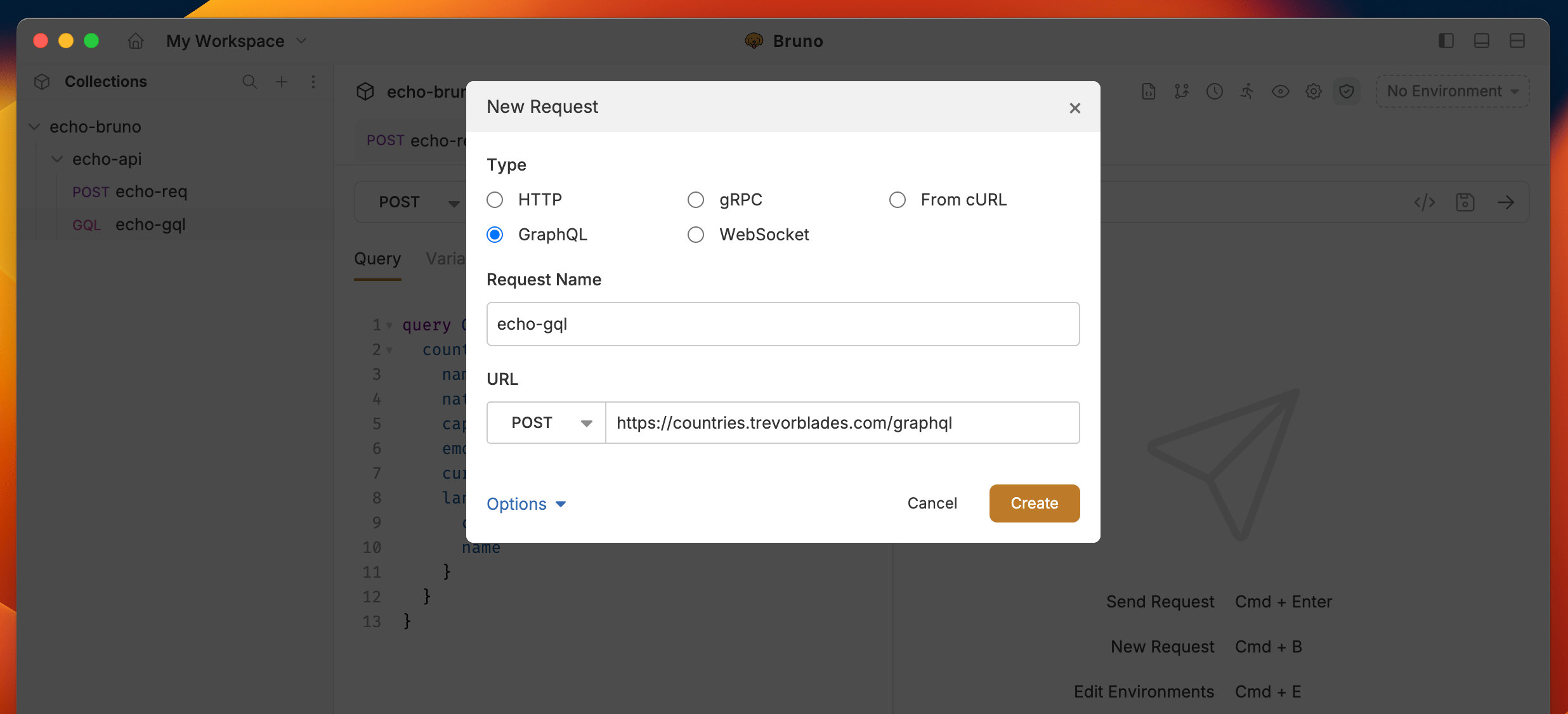 The default method for working with GraphQL APIs is POST, but you can adjust it based on your preferences.
### GraphQL request with query
Bruno provides a dedicated section called **Query** where you can write and execute all your GraphQL queries. This section is designed to make it easy for you to interact with the GraphQL API by allowing you to define the data you want to retrieve or manipulate.
The default method for working with GraphQL APIs is POST, but you can adjust it based on your preferences.
### GraphQL request with query
Bruno provides a dedicated section called **Query** where you can write and execute all your GraphQL queries. This section is designed to make it easy for you to interact with the GraphQL API by allowing you to define the data you want to retrieve or manipulate.
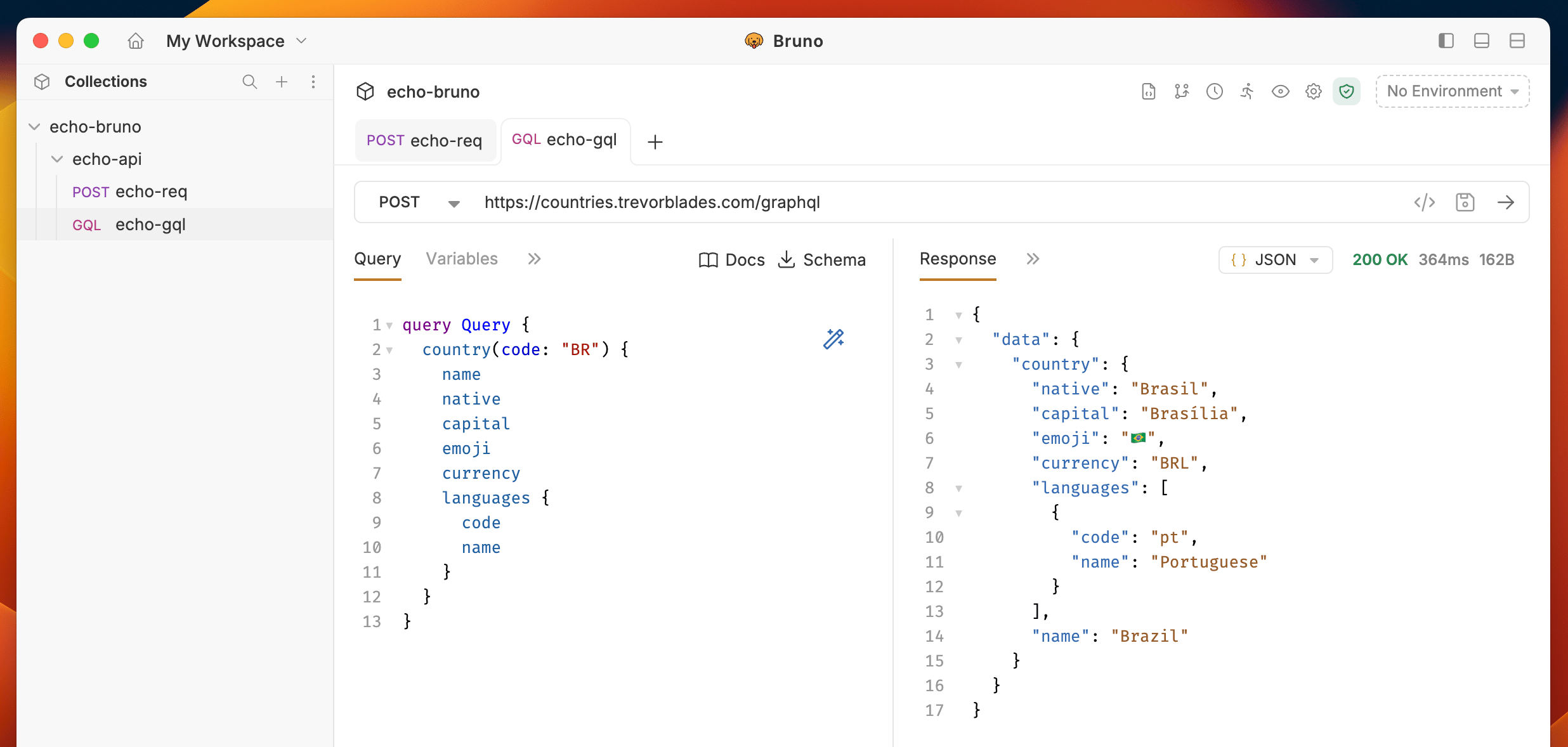 **Example Query:**
You can test this query using the Countries GraphQL API: `https://countries.trevorblades.com/graphql`
```graphql theme={null}
query Query {
country(code: "BR") {
name
native
capital
emoji
currency
languages {
code
name
}
}
}
```
This query fetches country information for Brazil (code: "BR"), including its name, native name, capital, emoji, currency, and languages.
## Get Started with GraphQL APIs
Explore our sample REST and GraphQL collection to see practical examples and test GraphQL endpoints:
**Example Query:**
You can test this query using the Countries GraphQL API: `https://countries.trevorblades.com/graphql`
```graphql theme={null}
query Query {
country(code: "BR") {
name
native
capital
emoji
currency
languages {
code
name
}
}
}
```
This query fetches country information for Brazil (code: "BR"), including its name, native name, capital, emoji, currency, and languages.
## Get Started with GraphQL APIs
Explore our sample REST and GraphQL collection to see practical examples and test GraphQL endpoints: